
A UX prototype and research study exploring how generative AI reshapes the identity and working methods of project managers — built on eight in-depth interviews and Goffman's dramaturgical framework.
Role
Co-owner
Context
Bachelor Degree Project
Platform
Desktop Web
Tools
Figma, Qualitative Research, Claude
Overview
Blinc is our bachelor's degree project at Malmö University — developed together with Mikaela Rasmusson. It has two outputs: a qualitative research study exploring how generative AI reshapes the professional identity and working methods of project managers, and a functional UX prototype designed as a direct response to what the research found.
The research was anchored in Erving Goffman's dramaturgical theory — the idea that professional life is a performance divided into frontstage (what clients and stakeholders see) and backstage (the preparation, creative work, and internal collaboration behind the curtain). With generative AI entering that backstage, we set out to understand what it does to the person performing.
"The question isn't whether AI changes what project managers do. It's whether it changes who they feel they are."
The Prototype
If project managers are already using AI backstage to build presentations — and our research confirmed they are — the design question becomes: what would a purpose-built tool look like? One that keeps human judgment central, makes the AI's role transparent, and lets the PM feel like an art director rather than a passenger.
Blinc is that tool: an AI-powered pitch and presentation platform built for project managers. Every creative decision — audience, tone, structure, intent — stays with the PM. The AI executes; the PM directs.
Dashboard
The home view surfaces what normally stays invisible: active projects, pitches generated per week, hours saved, generated elements. These metrics make the value of AI-assisted work concrete — which participants in our research consistently undersold when describing their own productivity.
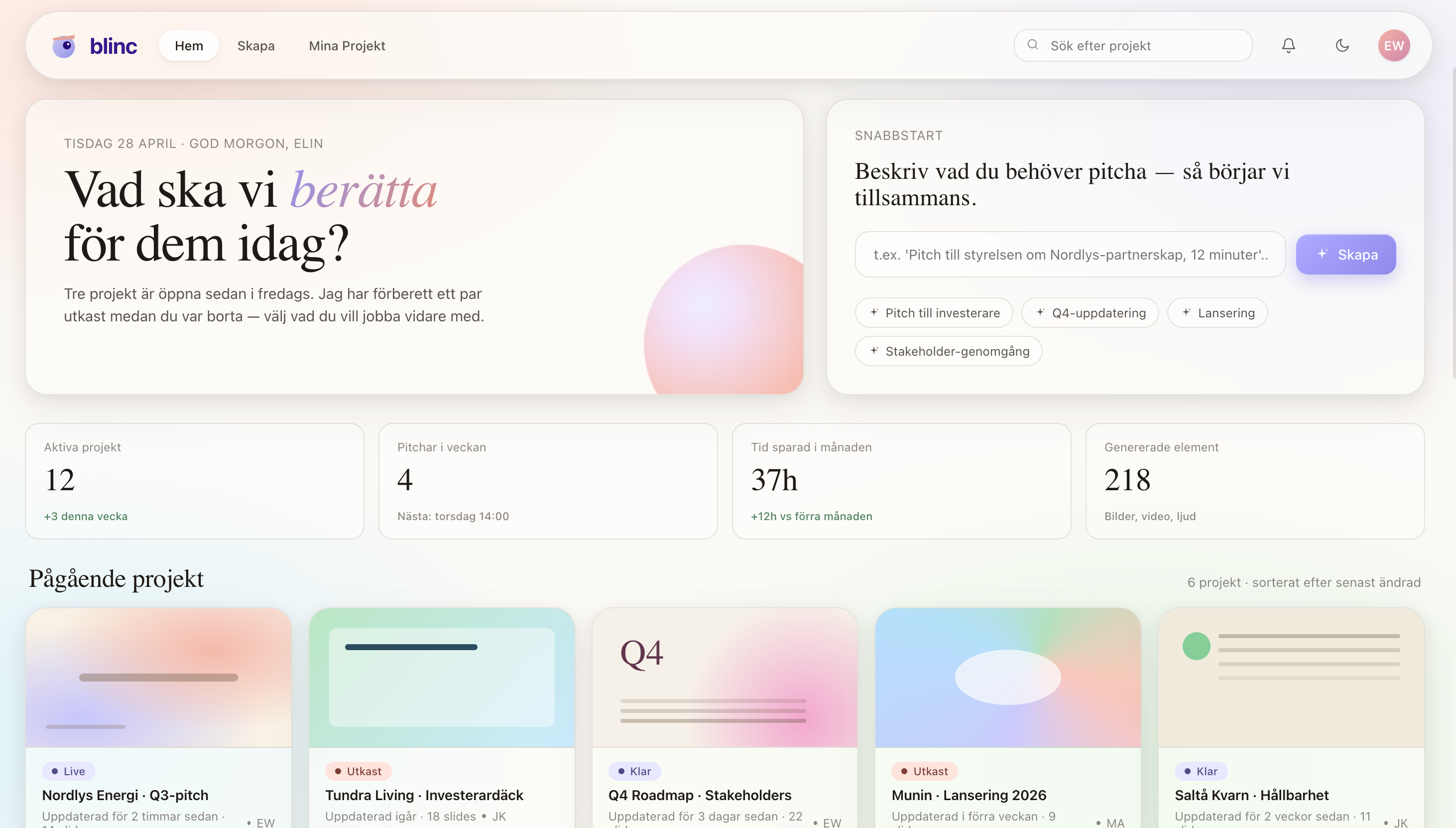
Dashboard — project overview and AI usage metrics
Creating a pitch
The creation flow starts with a natural language brief — the PM describes the pitch in their own words, as if briefing a colleague. They then set audience, tone, length, and can upload background material. Every meaningful decision stays human. This was a direct design response to our finding that authenticity is tied to control, not authorship.
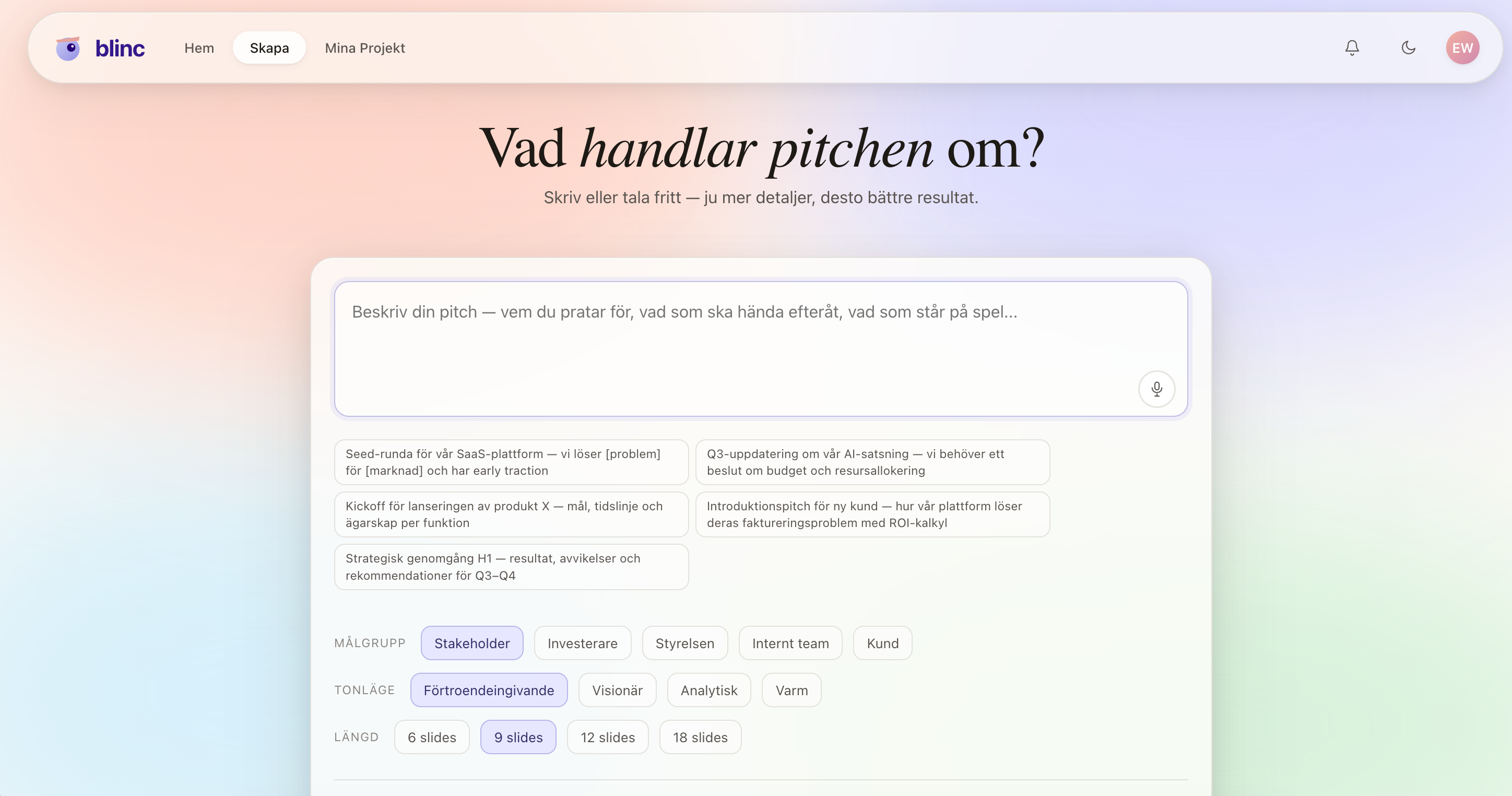
Pitch creation — briefing the AI in natural language
AI generation
Rather than a spinner, Blinc shows exactly what it's doing: parsing the prompt, building narrative structure, sketching visual direction, composing elements. Transparency here was a direct response to our finding that trust in AI output is closely tied to understanding how it arrived at its answers.
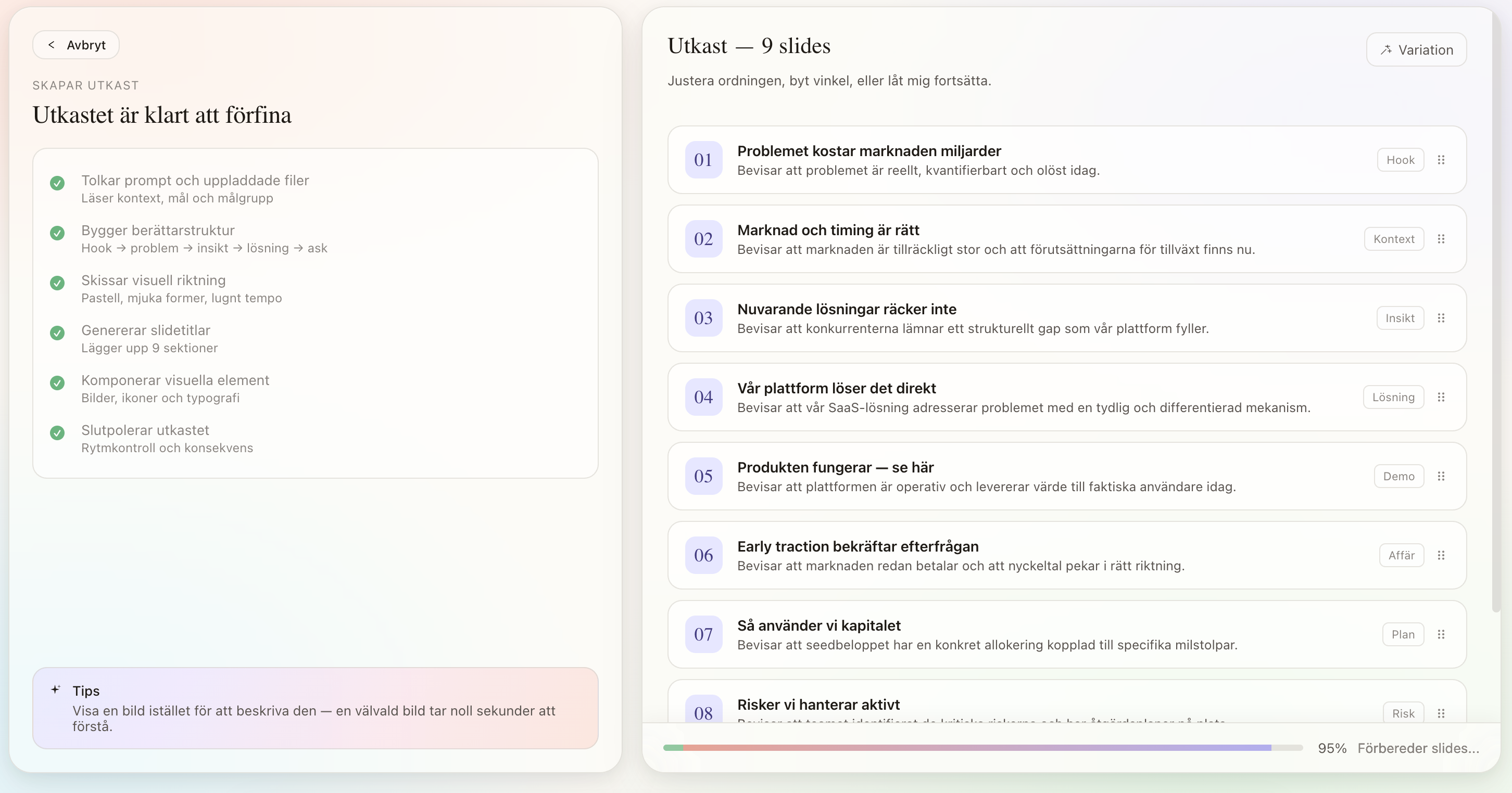
Generation view — transparent step-by-step AI processing
My Projects
All your work in one place — every pitch, draft, and finished deck organized and ready to pick up. From here you can jump straight into any project or start something new.
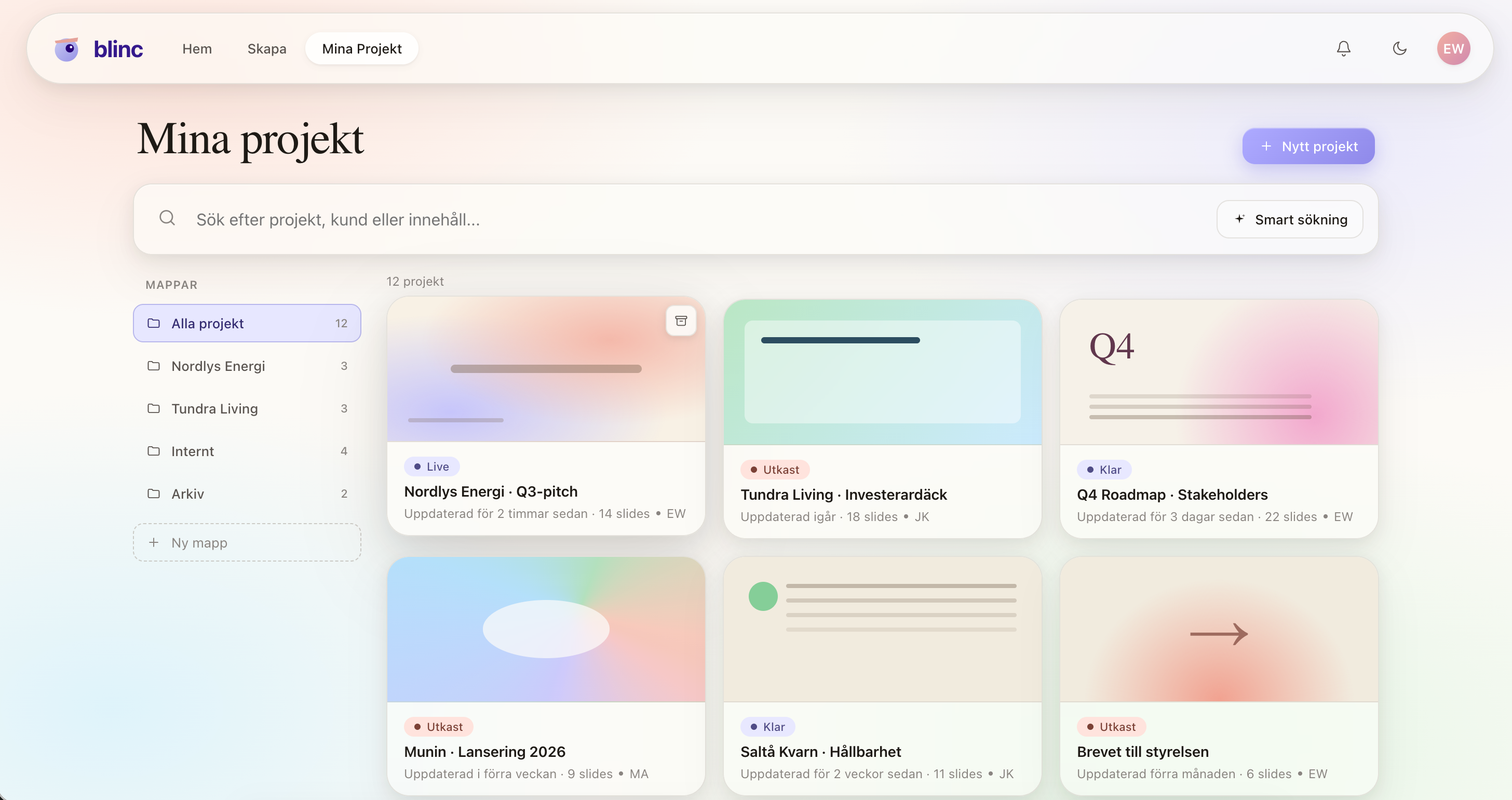
My Projects — your full pitch library at a glance
Workspace
The workspace is where the PM takes full ownership. Every element is freely editable — adjust layouts, swap content, rewrite copy, tweak colors and themes, add animations — all without touching AI if you don't want to. For targeted revisions, the built-in AI assistant is there when you need it: refine a specific slide, rewrite a section, or shift the tone. The tool works either way. You're always in charge.
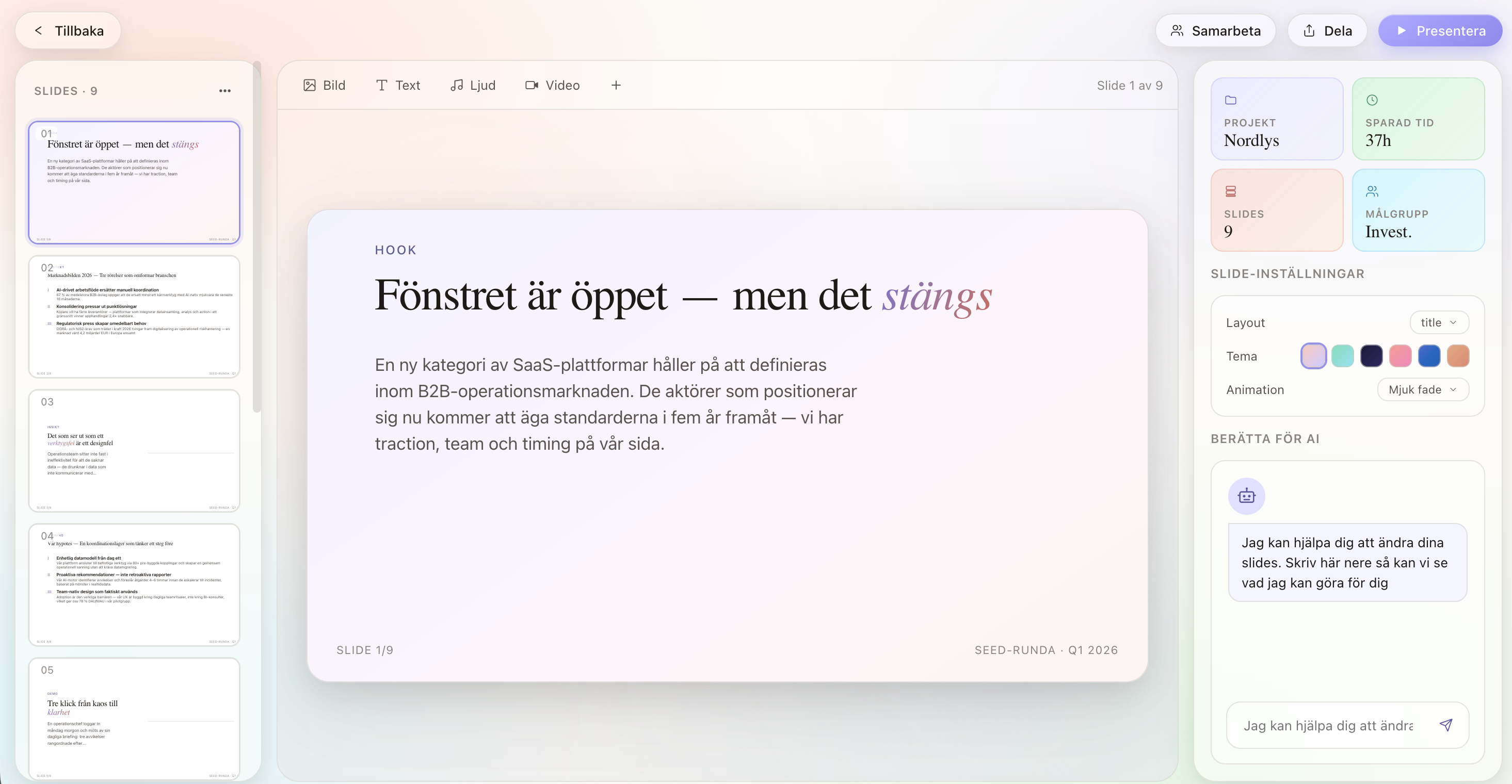
Workspace — full manual editing with optional AI assistance
Collaboration
Teams can work on the same presentation simultaneously. Comments, version history, and handoff flows are built in — making the tool useful across the full internal review process before anything hits a client screen.
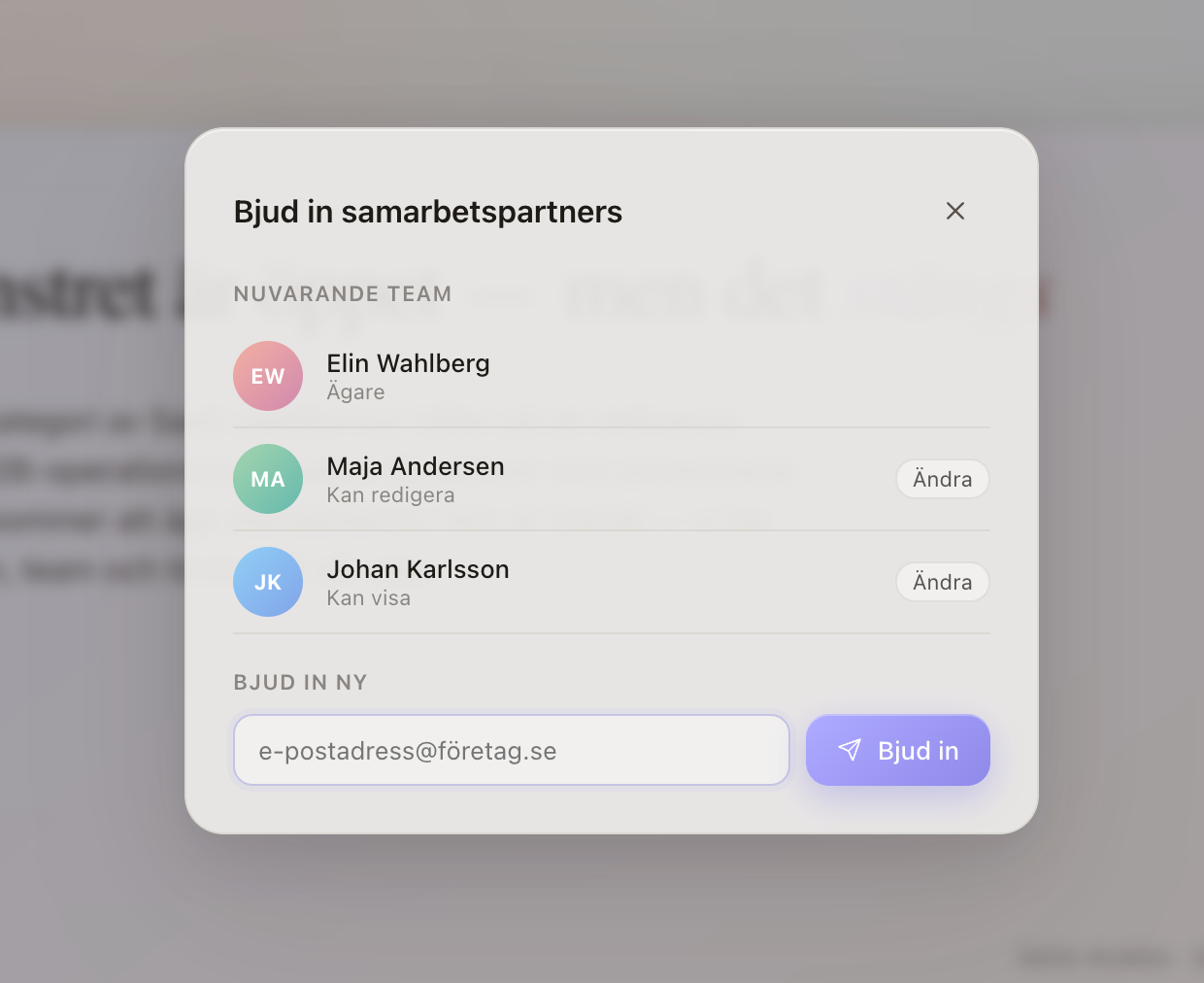
Co-working — real-time collaboration and internal review
Presentation view
The frontstage. A clean full-screen presenter mode with speaker notes, progress tracking, and optional ambient audio — designed to feel as considered as the content itself.
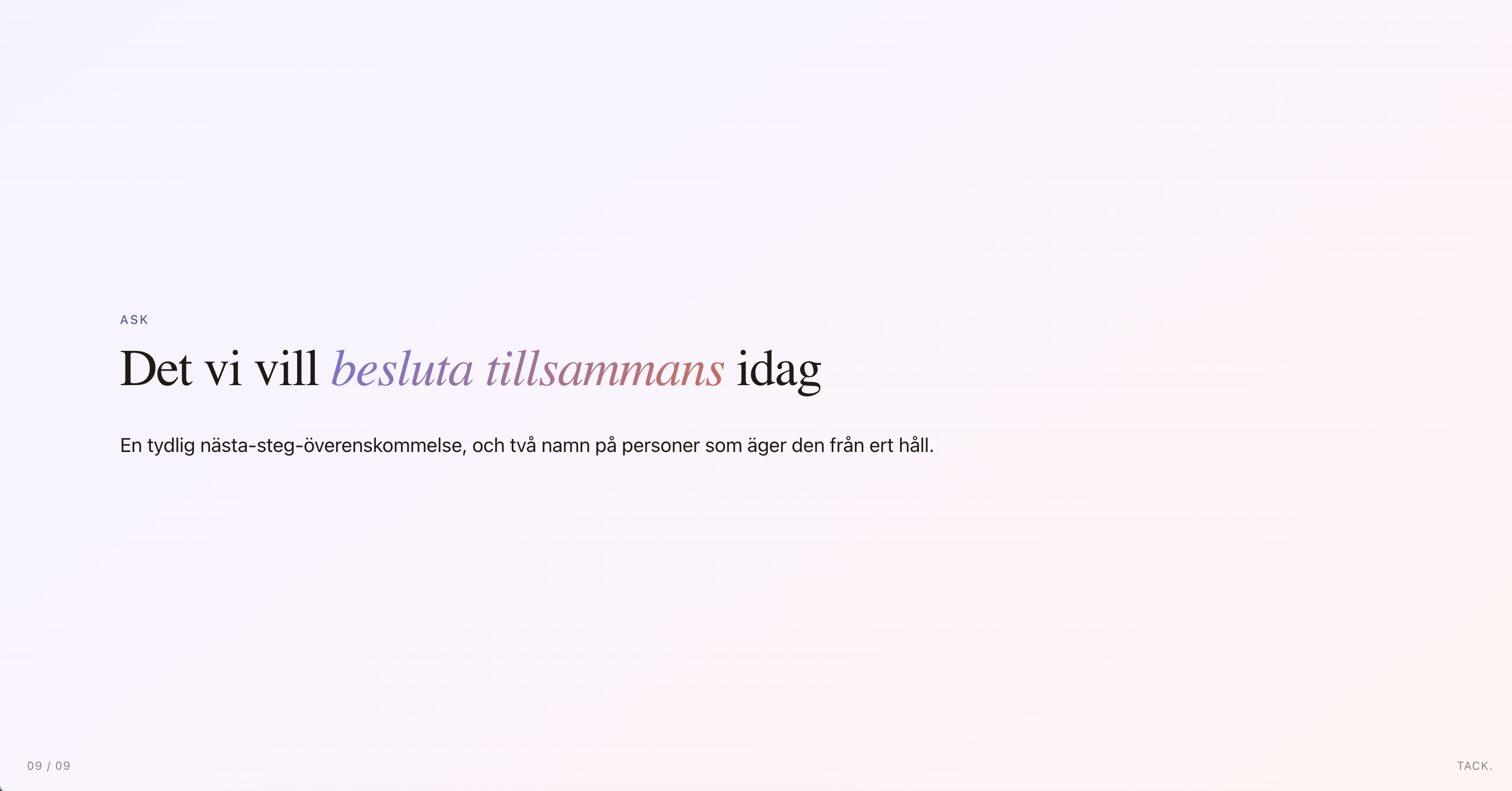
Presentation mode — the frontstage performance
Share & export
Finished presentations can be shared as a live link, exported as PDF, or handed off to stakeholders with access controls. Sharing is a first-class feature — not an afterthought.
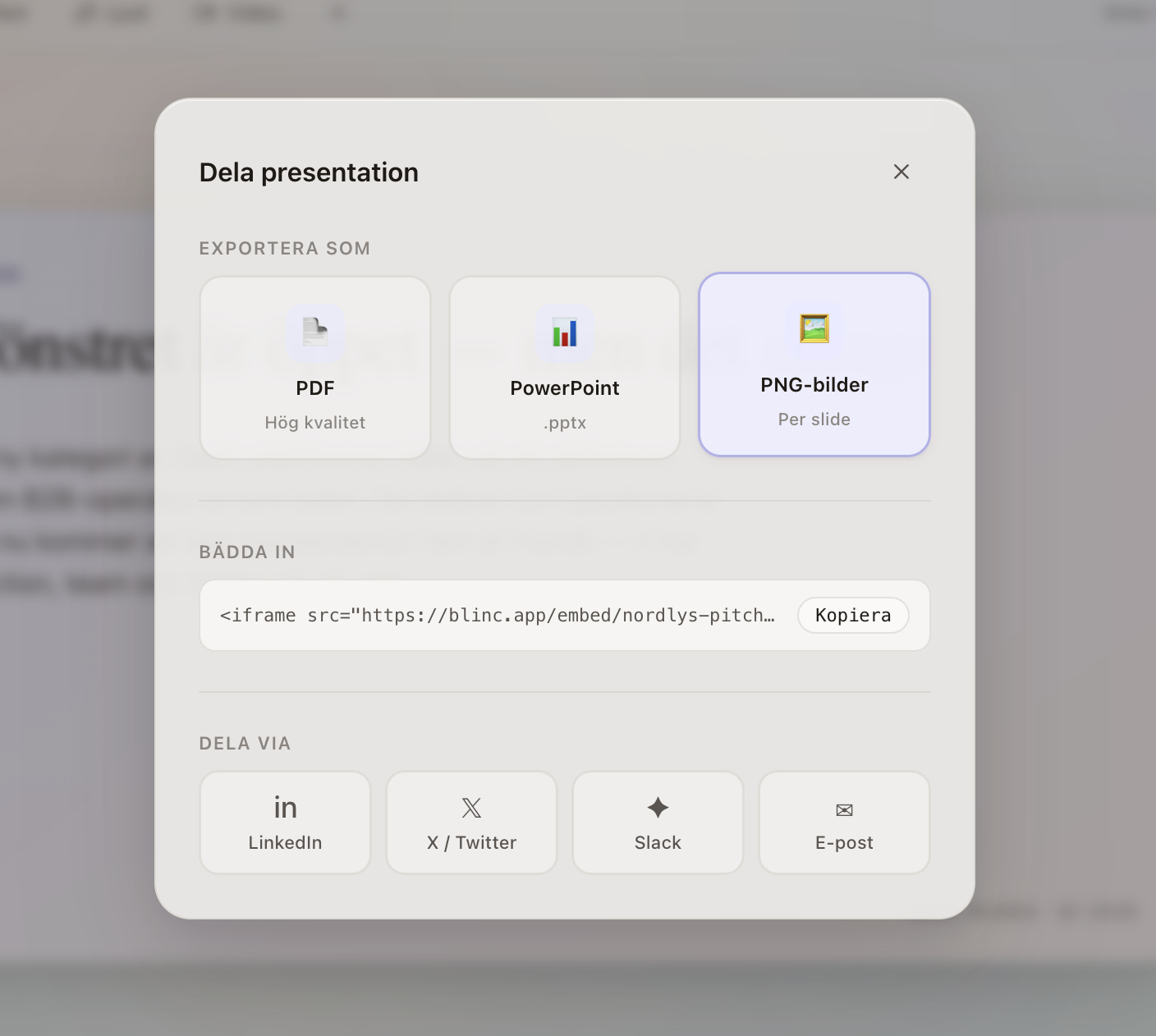
Share — export and distribute with access controls
The Problem
Generative AI is moving into professional workflows at pace — but the conversation has been almost entirely practical. Productivity gains, prompt engineering, which tools work best. What we found almost entirely absent from both industry discourse and academic literature was the human dimension: what happens to professional identity when AI starts doing part of your job?
For project managers, the tension is especially sharp. The role is built on credibility — the ability to understand complexity, communicate it clearly, and be trusted when you say the project is on track. When a language model can draft the report and generate the slides in under two minutes, the question of where expertise lives becomes real.
Research gap
- Efficiency, not identity — existing studies focused on productivity metrics, not how practitioners felt about AI-generated work
- Professional pride unexplored — no qualitative research had examined what happens to a professional's sense of ownership when AI is involved
- Goffman not applied to AI — dramaturgical theory had never been used as a lens for understanding AI's impact on knowledge workers
Research
We conducted eight semi-structured interviews with project managers and team leads based in southern Sweden. Participants were recruited through LinkedIn and professional networks, spanning industries including tech, construction, marketing, and management consulting. Interviews ran between 45 and 75 minutes and were conducted in Swedish.
Theoretical framework: Goffman's dramaturgical model
The analysis was structured around Erving Goffman's dramaturgical perspective. Frontstage describes moments visible to the audience: client pitches, stakeholder presentations, project reviews. Backstage covers preparation — team ideation, drafting, internal alignment, everything that enables the frontstage performance without appearing in it.
This distinction proved immediately generative. As soon as we introduced the frontstage/backstage language in interviews, participants naturally mapped their own AI use onto it — and the pattern was consistent across every participant: AI lived backstage.
Interview structure
Each interview moved through four sections: (1) background and current role, (2) creative processes and daily workflows, (3) AI use and personal working methods, (4) views on the future of the profession. The sequence was deliberate — establishing context and rapport before asking about authenticity and professional pride.
Thematic analysis
Analysis followed an inductive approach — themes were not defined in advance but allowed to emerge from the material. Transcripts were color-coded to tag recurring concepts. Physical mind maps traced relationships across participant responses. Two full iterations of theme development were completed and debated before the final framework was agreed.
Findings
Four major themes emerged from the interviews. Together they paint a more nuanced picture of professional identity in the age of AI than we expected going in.
AI as backstage sounding board
Every participant used generative AI — but almost exclusively backstage. It was a brainstorming partner, a document structurer, a first-draft generator for internal use. No one brought it into a client meeting. The frontstage performance remained entirely human — AI shaped it, but was never visible in it.
Authenticity tied to control, not authorship
We expected authenticity to be about whether you wrote the words yourself. It wasn't. What mattered to participants was control: did I decide what went in? Did I set the direction, review the output, make the judgment calls? If yes, the work felt authentic — regardless of whether a model produced the first draft.
Professional pride intact — and sometimes enhanced
Pride in one's work was not diminished by AI involvement. Several participants described the opposite: when AI handled the mechanical parts, they had more space to focus on what they considered genuinely skilled work — strategy, client relationships, and communication quality. The performance felt more considered.
The role is shifting toward facilitation
A subtle but significant pattern: participants described themselves less as producers of content and more as curators and quality assurers of AI output. The role was shifting from generation to direction — knowing what good looks like, and steering AI toward it.
Learnings
This was the most research-intensive project I've worked on — and the most personally resonant. Eight conversations about professional pride, authenticity, and what it means to be good at something when a machine is getting better at it too. That changed how I think about designing for AI.
The core lesson: technology rarely changes what people fundamentally want. The project managers we spoke to still wanted to feel capable, trusted, and in control of their work. A well-designed AI tool doesn't threaten that — it amplifies it. The failure mode is building something that makes the person feel like a passenger. The success mode is building something that makes them feel more skilled.
Working across qualitative research and UX design in the same project clarified something I'd suspected — the most useful design decisions come from understanding what people are trying to protect, not just what they're trying to do.